New Kyocera Copiers, printers & fleet solutions | NY • NJ • CT

Configured, installed, and supported by ASR Office Solutions—with options for qualifying multi-location organizations.

New Kyocera workplace technology

$0 upfront options · Subject to approval

A better print fleet starts with one honest cost review.

Configured, installed, and supported by ASR Office Solutions.

Replace scattered HP and Brother devices—or an overpriced copier contract—with new Kyocera equipment, predictable support, and one plan built around what your organization actually prints.

  • Brand-new Kyocera equipment
  • Toner & service plans available
  • Local NY support
  • Multi-location deployment opportunities
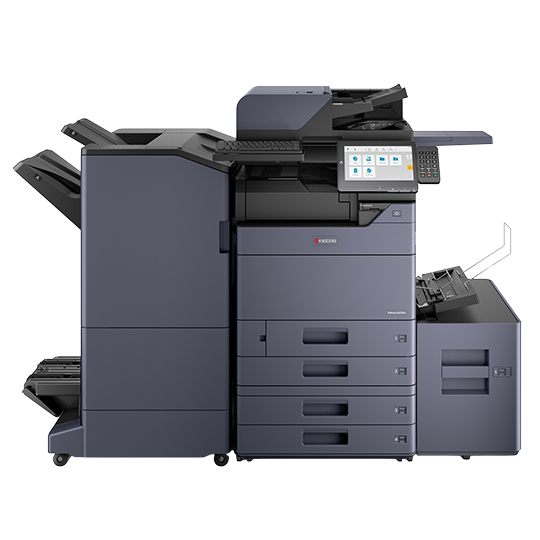
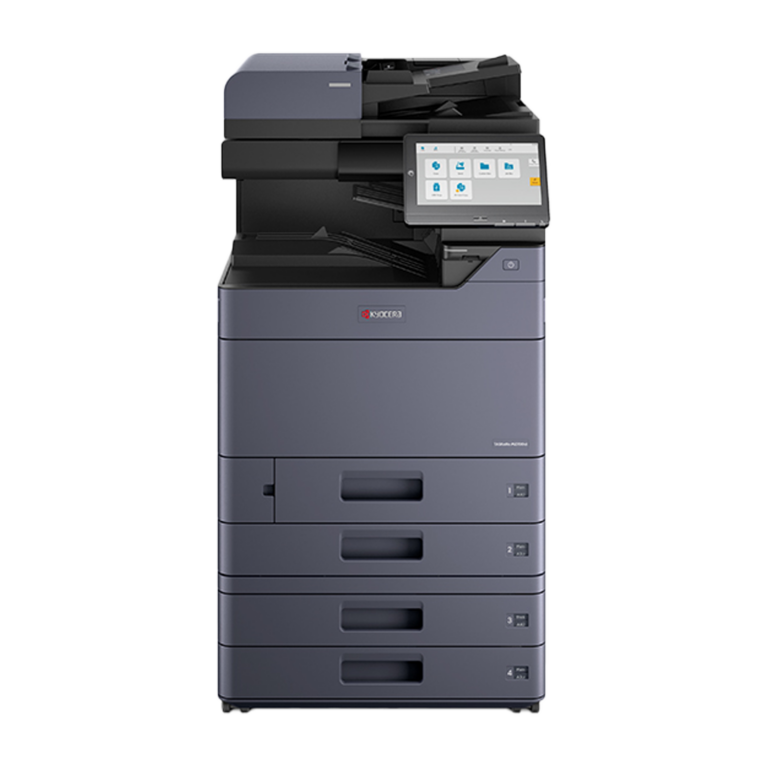
Kyocera TASKalfa color multifunction office copier ASR Office SolutionsProfessional Kyocera Color MFP

Interactive Kyocera showroom

Explore the machine. Understand the fit. Then request the right quote.

Click any machine for a closer look, key capabilities, ideal office environments, and the next step. You do not need to know a model number to begin.

Click a card to open full details
New · Compact mono
New Kyocera ECOSYS PA4500x monochrome printer

ECOSYS PA4500x

47 ppm monochrome

Fast black-and-white printing in a compact footprint with expandable paper handling.

Best suited for: Accounting teams, front offices, medical practices, legal departments, and workgroups replacing several small desktop printers.
New · Busy workgroup
New Kyocera ECOSYS PA5500x business printer

ECOSYS PA5500x

57 ppm monochrome

A fast, secure departmental printer with durable components and substantial paper-capacity options.

Best suited for: High-volume departments, warehouses, schools, finance teams, and organizations replacing HP Enterprise or Brother workgroup printers.
New · Color printer
New Kyocera ECOSYS PA3500cx color printer

ECOSYS PA3500cx

35 ppm color

Professional color printing with duplex output and a compact, department-friendly design.

Best suited for: Marketing teams, real-estate offices, retail administration, schools, and businesses needing quality color without a floor-standing copier.
New · Color desktop MFP
New Kyocera ECOSYS MA4000cifx color multifunction printer

ECOSYS MA4000cifx

40 ppm color

Print, copy, scan, and fax capabilities in a capable A4 color multifunction system.

Best suited for: Small and midsize offices, branch locations, reception areas, and teams replacing color HP or Brother all-in-one devices.
New · Mono desktop MFP
New Kyocera ECOSYS MA4500ifx monochrome multifunction printer

ECOSYS MA4500ifx

47 ppm monochrome

A productive monochrome multifunction device for scanning, copying, printing, and fax workflows.

Best suited for: Medical offices, law firms, accounting departments, nonprofit offices, and teams scanning and printing document-heavy files.
New · Color workgroup MFP
New Kyocera TASKalfa MA4500ci color multifunction printer

TASKalfa MA4500ci

47 ppm color

Powerful A4 color with rapid scanning, a large touchscreen, and security-focused capabilities.

Best suited for: Corporate departments, healthcare administration, finance, education, and busy offices needing strong color without 11×17 output.
New · Floor MFP
New Kyocera TASKalfa MZ2501ci and MZ3501ci color copier

TASKalfa MZ2501ci / MZ3501ci

25–35 ppm color

Versatile 11×17 color systems for everyday office workflows, scanning, and optional finishing.

Best suited for: Growing offices, property managers, schools, nonprofits, and businesses needing tabloid-size documents and centralized scanning.
New · Enterprise color
New Kyocera TASKalfa MZ color enterprise copier

TASKalfa MZ Color Series

40–70 ppm color

Cloud-ready A3 systems with strong security, fast scanning, and flexible finishing configurations.

Best suited for: Corporate headquarters, healthcare groups, school districts, legal firms, and multi-department organizations with heavier color workflows.
New · Enterprise mono
New Kyocera TASKalfa MZ monochrome enterprise copier

TASKalfa MZ B&W Series

40–70 ppm monochrome

Reliable departmental output with rapid scanning and paper-handling options for demanding offices.

Best suited for: Government offices, logistics operations, banks, large medical practices, and organizations producing substantial black-and-white volume.

Make the decision easier

Two quick tools before you request a quote.

Find the equipment category that may fit and understand what your current print environment may really cost. Results are planning aids—not quotes or guarantees.

?

Find My Machine

Answer four quick questions about printing, scanning, faxing, paper size, and finishing. We’ll identify the Kyocera category that may fit and carry the recommendation into your review request.

1. What does your team need?
2. Do you need color?
3. What paper size matters?
4. Which workflow matters most?

Schools, churches, law offices, and corporate teams can request a customized finishing configuration.

Have ASR prepare an alternative solution

Your machine-finder answers are already included. Add three quick details—no second form required.

$

What Is Printing Actually Costing You?

See your estimated total in about 60 seconds. Add only the numbers you know—leave anything else blank.

No invoice upload. No long questionnaire. Your contact details appear only after you see the estimate.

Black-and-white copy charges
Color copy charges
Estimated monthly total$0
Estimated annual total$0
Estimated remaining-contract total

This calculator only converts the amounts entered. It does not verify invoices, include unknown charges, or promise savings. ASR must review the actual agreement before providing a quote or recommendation.

Want ASR to look for a better option?

Choose what you want improved, then enter three quick details. A phone number is optional.

What should ASR do differently? Select any that matter.

What a fleet review actually means

ASR studies every device before recommending any replacement.

Fleet consolidation does not simply mean removing printers. It means identifying what each department needs, eliminating unnecessary duplication where practical, and creating a clearer support structure.

1

Document the current setup

ASR reviews each printer and copier, its location, page volume, toner type, service cost, users, and business purpose.

2

Give every device a role

We identify which areas need a personal printer, shared workgroup printer, color MFP, 11×17 copier, scanning station, or backup device.

3

Present a simpler plan

ASR proposes the appropriate Kyocera equipment, locations, service structure, and contract terms in writing for your team to evaluate.

Simple example: An office with eight unrelated desktop printers and two shared copiers might not need ten replacements. After reviewing location and usage, ASR may recommend keeping some dedicated printers while moving appropriate departments to shared Kyocera MFPs. The final number is determined only after the assessment.

Have HP or Brother printers across the office?

Send ASR the model list. We will map appropriate new Kyocera alternatives and look for opportunities to consolidate service, toner, and support.

Headquartered in Mineola, NY
$0 upfront options*
Contract & fleet review
Multi-location planning

Start with the business problem

One conversation. The right route forward.

Your quote is based on real usage, workflow, location, finishing needs, and existing obligations—not a teaser price that changes later.

Kyocera TASKalfa black-and-white multifunction copier
01

Lease new equipment

Get a right-sized Kyocera copier or printer with terms and available support coverage explained before you sign.

Build my recommendation →
New Kyocera ECOSYS desktop multifunction printer
02

Replace HP & Brother fleets

Map existing desktop models to new Kyocera printers and MFPs, then simplify toner, service, and support.

Send my current model list →
New Kyocera TASKalfa compact color multifunction copier
03

Standardize multiple locations

Build a right-sized fleet strategy for branches, departments, professional offices, and qualifying national accounts.

Plan my organization →

For IT, operations & procurement teams

One accountable print strategy—not a patchwork of devices and invoices.

ASR can evaluate a qualifying organization’s current fleet, locations, contracts, usage, security needs, and service gaps before proposing a standardized Kyocera environment.

Fleet & contract discovery
Device standardization
Usage & cost visibility
Security-focused planning
Multi-location coordination
Consolidated support strategy

Moving beyond consumer-style printers

A practical Kyocera path for common HP and Brother roles.

Exact replacements depend on volume, paper handling, color, scanning, finishing, applications, and security. These are starting categories—not one-for-one guarantees.

Small mono printerConsider ECOSYS PA-series models for compact, reliable workgroup printing.
Busy mono workgroupConsider PA4500x–PA6000x class devices for higher speed and paper capacity.
Desktop all-in-oneConsider ECOSYS MA-series models for print, scan, copy, and available fax workflows.
Color department MFPConsider TASKalfa MA4500ci or A3 TASKalfa MZ color systems based on paper and finishing needs.

Solutions by industry

Start with how your organization works—not a model number.

Choose your environment to prefill the review form with common priorities for that industry.

Medical & Healthcare

Secure document workflows, scanning, reliability, and multiple staff roles.

Explore healthcare fit →
§

Legal

Document-heavy printing, rapid scanning, matter workflows, and dependable output.

Explore legal fit →

Education

Departmental volume, controlled color, forms, classroom materials, and fleet planning.

Explore education fit →

Construction & Property

11×17 documents, distributed offices, field coordination, and scanning.

Explore construction fit →

Nonprofit & Religious

Budget visibility, event materials, administrative documents, and simple support.

Explore nonprofit fit →

Corporate & Multi-Location

Standardization, security, centralized oversight, and coordinated deployment.

Explore corporate fit →

Kyocera Three-Tiered Color System

Why pay full-color rates for a tiny logo?

Eligible Kyocera plans can separate low-, medium-, and high-coverage pages, so light business color may cost less than full-coverage marketing material.

As low asper eligible low-coverage
color page*

*Marketing example only; not a guaranteed or universal rate. Applies only to qualifying low-coverage color pages under eligible equipment and written service plans. Actual tier classification and rates vary by color coverage, device, print volume, plan, location, and account approval. Medium- and high-coverage pages are billed at different rates. Final terms appear only in ASR's written quote and agreement.

Simple color · Low coverage

Examples: a logo, signature, hyperlink, or small color accent.

Business color · Medium coverage

Examples: charts, graphs, reports, and internal presentations.

Creative color · High coverage

Examples: brochures, photos, flyers, and full-color collateral.

The ASR difference

A quote you can actually evaluate.

  • Equipment selected for your real monthly volume and workflow
  • Lease term, service coverage, allowances, and overages explained in writing
  • Delivery, installation, network setup, and accessories confirmed
  • Existing lease obligations reviewed before a replacement is proposed
  • Local support backed by a team you can call directly

Optional detailed review

Need a deeper contract and print-cost audit?

Use this detailed form only if you want to share more complete copier-contract, allowance, maintenance, and fleet information. If you already sent the machine finder or cost snapshot, you do not need to fill this out again.

  • Review current monthly payment and remaining term
  • Compare included B&W and color allowances
  • Check overage rates and maintenance coverage
  • Identify equipment, workflow, or contract mismatches
  • Receive a legitimate ASR recommendation—not an instant teaser price

Submitting this form does not guarantee savings, approval, equipment availability, or a particular rate. ASR must review the information and any supporting documents before presenting written recommendations.

Detailed Confidential Audit Optional—choose this path if you want to share contract allowances, overage rates, maintenance coverage, and equipment details.

This quick check helps block automated submissions.

🔒Business inquiries only. Never submit passwords, banking details, Social Security numbers, credit-card data, or other sensitive personal information.

Do not enter bank, credit-card, Social Security, password, or other sensitive personal information. ASR may ask you to email a current invoice or agreement separately for a more complete review.

Five-star Google reviews

Businesses trust ASR to keep their offices running.

Real feedback from customers who have worked directly with the ASR team.

★★★★★
“Easy company to work with. We refer them to our friends and family. Thank you for the support.”
SecureTech SystemsGoogle review
★★★★★
“ASR displayed a very professional service, giving my business what it needed. After shopping around and receiving insane quotes, ASR came to my aid and provided an offer I couldn't skip. The technician was there the next day and answered all of my questions.”
Ashar SheikhGoogle review
★★★★★
“I've worked with Amir and the ASR team for over 10 years now, and honestly, I wouldn't go anywhere else. Whether it's their proactive service or lightning-fast response times, they truly treat us like family.”
Husein KermalliGoogle review

How it works

From a quick review to an installed solution.

1

Tell us what you print

Share approximate volume, color usage, users, location, and any equipment or lease you already have.

2

Receive a tailored proposal

ASR matches the need to suitable options and explains the complete written structure.

3

Approve delivery and setup

After acceptance and approval, ASR coordinates equipment, installation, and support onboarding.

Get the right copier plan—not a generic online price.

Call for a legitimate quote built around your office, or email your current invoice or lease for a confidential review.

Mineola, New York · Service availability varies by location and program.

Common questions

Before you request a quote

Why doesn't ASR publish copier prices?

A meaningful quote depends on equipment configuration, term, print volume, accessories, delivery, installation, service coverage, supplies, location, taxes, and approval. ASR confirms these items before presenting a written price.

Can ASR review an existing lease?

Yes. ASR can review the remaining term and buyout information to determine whether replacement, takeover, or waiting is the more practical option.

Is the 3¢ color rate guaranteed?

No. It is a potential starting rate for qualifying low-coverage pages under an eligible written Tiered Color plan. The actual classification and rate depend on the page, device, plan, volume, location, and account approval.

Does ASR support businesses outside New York?

ASR can review qualifying multi-location and national-account opportunities. Supported delivery, installation, and service depend on the headquarters, destination, equipment, and program.

Call ASR

Why an all-inclusive asr lease beats retail buying

Buying a cheap desktop printer from a retail store is a financial trap. Retail brands price their hardware low because they make their fortunes charging a 400% markup on replacement toner. ASR gives you enterprise-grade commercial equipment with $0 upfront hardware costs and completely locked-in maintenance.

Feature ASR All-Inclusive Lease Retail Store Purchase
Upfront Cost $0 Upfront (Preserves Capital) $400 – $800 Out-of-Pocket
Cost Per Page Lowest Fixed Rates (Locked-in) Extreme Retail Markup (Up to 4x)
Toner Supply Included ($0) – Auto-ships at 15% User Paid – Costly emergency runs
If it Breaks... Included ($0) – 4-Hour Local Tech User Paid – No tech support
Parts & Labor Included ($0) – Fully Covered None – Cheap disposable plastics

Kyocera vs. The Competition

How our award-winning fleet stacks up against the other major commercial brands on the market.

🥇 Industry Leader

Kyocera TASKalfa

  • Ceramic Drum Tech: Patented diamond-hard Amorphous Silicon drums rated for up to 4.8 million prints. Virtually zero mid-lease component failures.
  • Reliability Crown: Awarded "Most Reliable A3 Brand" by Keypoint Intelligence, recording only 1 misfeed per 197,058 pages.
  • Running Costs: Lowest Total Cost of Ownership (TCO) because fewer internal parts wear out over time.

Xerox / Canon

  • Organic Plastic Drums: Use softer plastic/organic drums that degrade quickly, requiring complete replacement every 30,000 to 50,000 prints.
  • Consumable Costs: Excellent color reproduction, but accompanied by premium hardware leasing costs and significantly more expensive replacement parts.
  • Service Windows: Complex internal structures mean routine service visits take longer when deep rollers or gears wear thin.

Ricoh / Konica Minolta

  • Mechanical Overhead: Feature traditional mechanical drive setups that rely heavily on a high volume of moving parts, increasing standard jam rates.
  • Paper Paths: Prone to higher historical tracking misfeeds under heavy-volume multi-tray cycling over 3+ year horizons.
  • Mid-Tier Longevity: Solid output speeds, but require frequent scheduled overhauls by technicians to swap out worn belts and fuser components.

“What Happens NExt”

ASR Office Solutions team discussing copier leasing and office printer solutions with a business client

Frequently Asked Questions